

User Manual
awaBerry | Uninstall Instructions
The Uninstall Instructions screen provides platform-specific commands to remove the awaBerry client software from Mac, Linux, and Windows devices.
Uninstall Instructions
Summary
This screen provides step-by-step uninstall instructions for removing the awaBerry client from Mac, Linux, and Windows devices. Each platform section displays the exact terminal commands needed, with copy-to-clipboard buttons for convenience. A red warning note reminds the user that uninstalling will prevent all awaBerry Anywhere remote connections and device automation tasks on that device.
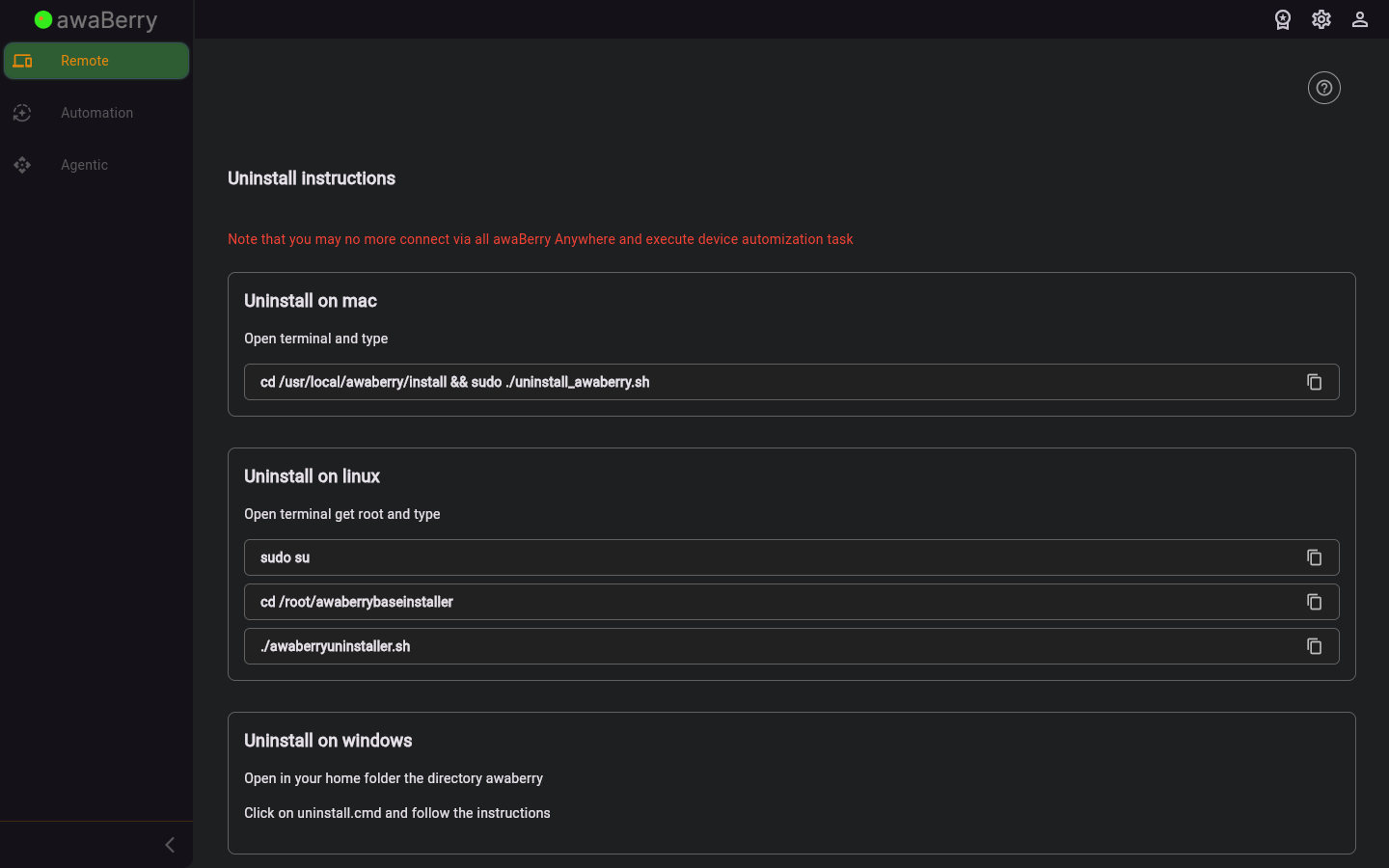
Screen on arrival
Page Functionalities
- Warning message (red text): Warns the user that uninstalling will disable all awaBerry Anywhere remote functions and device automation tasks on the device.
- Mac uninstall block: Displays the command
cd /usr/local/awaberry/install && sudo ./uninstall_awaberry.shwith a copy-to-clipboard option via the TextWithCopyOption widget. - Linux uninstall block: Displays three sequential commands:
sudo su,cd /root/awaberrybaseinstaller, and./awaberryuninstaller.sh, each with a copy button. - Windows uninstall block: Instructs the user to open their home folder, navigate to the
awaberrydirectory, and rununinstall.cmdfollowing the on-screen instructions. - Copy-to-clipboard buttons (TextWithCopyOption): Each code snippet has an inline copy button to simplify pasting the command into a terminal.
- User manual link: A link to the relevant user manual section for further guidance.
Scenario: Uninstalling awaberry from a Mac
- Navigate to
/user_uninstallvia the Danger Zone section in User Settings. - Read the red warning message.
- In the Mac section, click the copy button next to the uninstall command.
- Open a terminal on the target Mac device.
- Paste and run the command:
cd /usr/local/awaberry/install && sudo ./uninstall_awaberry.sh - Enter the sudo password if prompted.
- The awaberry client is removed from the device.
Scenario: Uninstalling awaberry from Linux
- Navigate to
/user_uninstall. - In the Linux section, copy and run
sudo suto get root access. - Copy and run
cd /root/awaberrybaseinstaller. - Copy and run
./awaberryuninstaller.sh. - The uninstaller removes awaberry from the Linux device.

