

awaBerry Anywhere
Complete Device Access — From First Connection to Full Control. No VPNs. No Open Ports.
Platform Overview
Connect Once. Access Always.
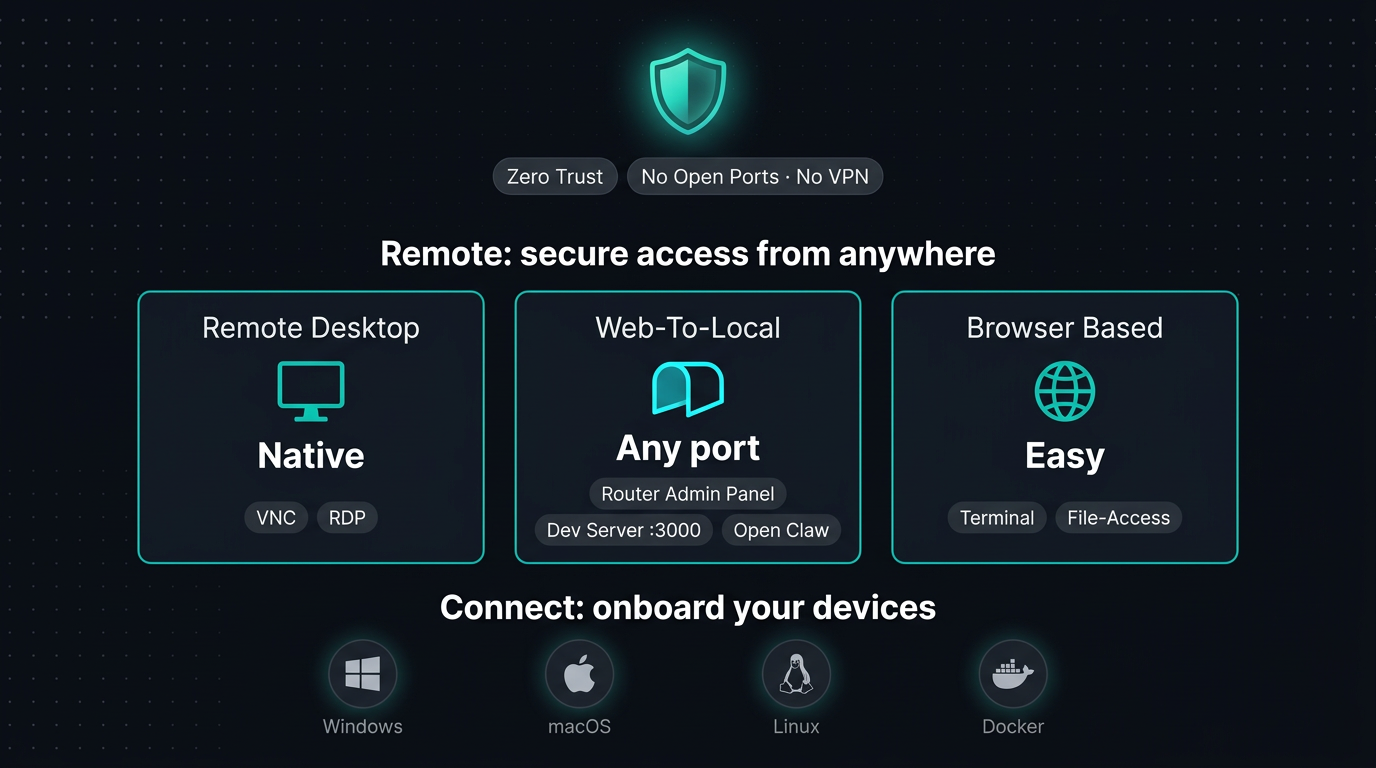
awaBerry Anywhere is a zero-trust remote access platform that gets any device — cloud server, laptop, or SoC hardware — securely online in minutes, and keeps it under your full control from anywhere in the world. The platform is built around two tightly integrated pillars: Connect your devices using tailored installers, Docker containers, or guided one-click flows — then Remote into them at any time via desktop, SSH, web tunnels, or file transfer.
Connect
Zero-Trust, No Open Ports, No VPN Required.
Onboard and register your devices using tailored installers, Docker containers, or guided single-click initialization flows. Designed to take minutes, not hours.
Remote
Access Any Device, Anywhere — Securely and at Full Speed.
Access registered devices at any time via remote desktop (VNC & RDP), SSH terminal, Zero-Trust Port Forwarding tunnels, and integrated file management.
Part 1 — Connect
Onboarding Your Devices
Bringing a device into your awaBerry ecosystem is designed to take minutes. Whether you are deploying to bare metal, a containerized stack, or integrating existing infrastructure, there is a purpose-built path for your setup.
Add Existing & Shared Devices
Use a guided, single-click initialization flow to bring an already-running device into your centralized ecosystem. Or access hardware that other users have securely shared with you — enabling immediate remote collaboration and joint administration without any key exchange.
Works on any MAC - yes even an old Apple macbook from 2012. Works on any Ubuntu / Debian / Redhad based LINUX. Works on any Windows which supports the Windows Subsystem for Linux (WSL).
Connect directly and securely to infrastructure managed by others — with exactly the permissions the owner defined, and nothing more.
Add Existing Device → Add Shared Device →Bespoke Installers
awaBerry generates installers tailored specifically to your device and network environment. Monitor the build job in real time — pending, in progress, or ready to download. Receive a secure license alongside your installer with built-in guides to flash it to USB, SD card, or deploy directly to target hardware.
Deploy awaBerry as a containerized application on your existing Linux infrastructure.
Bespoke Installer → Docker Deployment → List of Supported System on a Chip Devices →Part 2 — Remote
Accessing Your Devices
Once a device is connected, every access method is available from your Devices Overview dashboard. The web portal serves as the configuration and activation hub — for graphical desktop sessions and terminal work, native clients deliver performance and comfort.
Remote Desktop — VNC & RDP
Full graphical access to Apple, Linux, and Windows machines. Browser-based for quick or one-off sessions — or connect via native clients such as Apple Screen Sharing, Remmina, or Microsoft Remote Desktop for sustained, performance-critical work. Use the awaBerry portal to activate and configure, then connect with the client that fits your workflow.
Remote Desktop →Zero-Trust Port Forwarding Access
Activate and configure encrypted Zero-Trust Port Forwarding tunnels to any local port on your connected device. Reach router admin panels, local development servers, or internal dashboards as if you were on the same network — no port forwarding or VPN required.
Zero-Trust Port Forwarding Access →Use Cases
See It in Action
Plans
Start for Free. Scale as You Grow.
Business
Automate operations, manage fleets, and enable secure remote work for your entire team.
Try for Free
Private
Access your home devices, automate personal tasks, and share access with family — for free.
Freemium Plan Available
Research
Access lab hardware, automate data collection, and collaborate across institutions.
Request Free Usage
Ready to connect your first device?
Get started in minutes — no VPN, no open ports.

