

User Manual
awaBerry | Current Licence Overview
The Current Licence Overview screen displays the user's active licence details and today's feature usage statistics.
Current Licence Overview
Summary
This screen provides a concise overview of the user's current licence and their usage of licence-limited features today. It combines the ManageCurrentLicence widget (showing the plan name, category, status, and expiry date) with the DisplayDailyUsageStatistics widget (showing bar-chart usage for all trackable features). It is reachable via the /user_showcurrentlicence route.
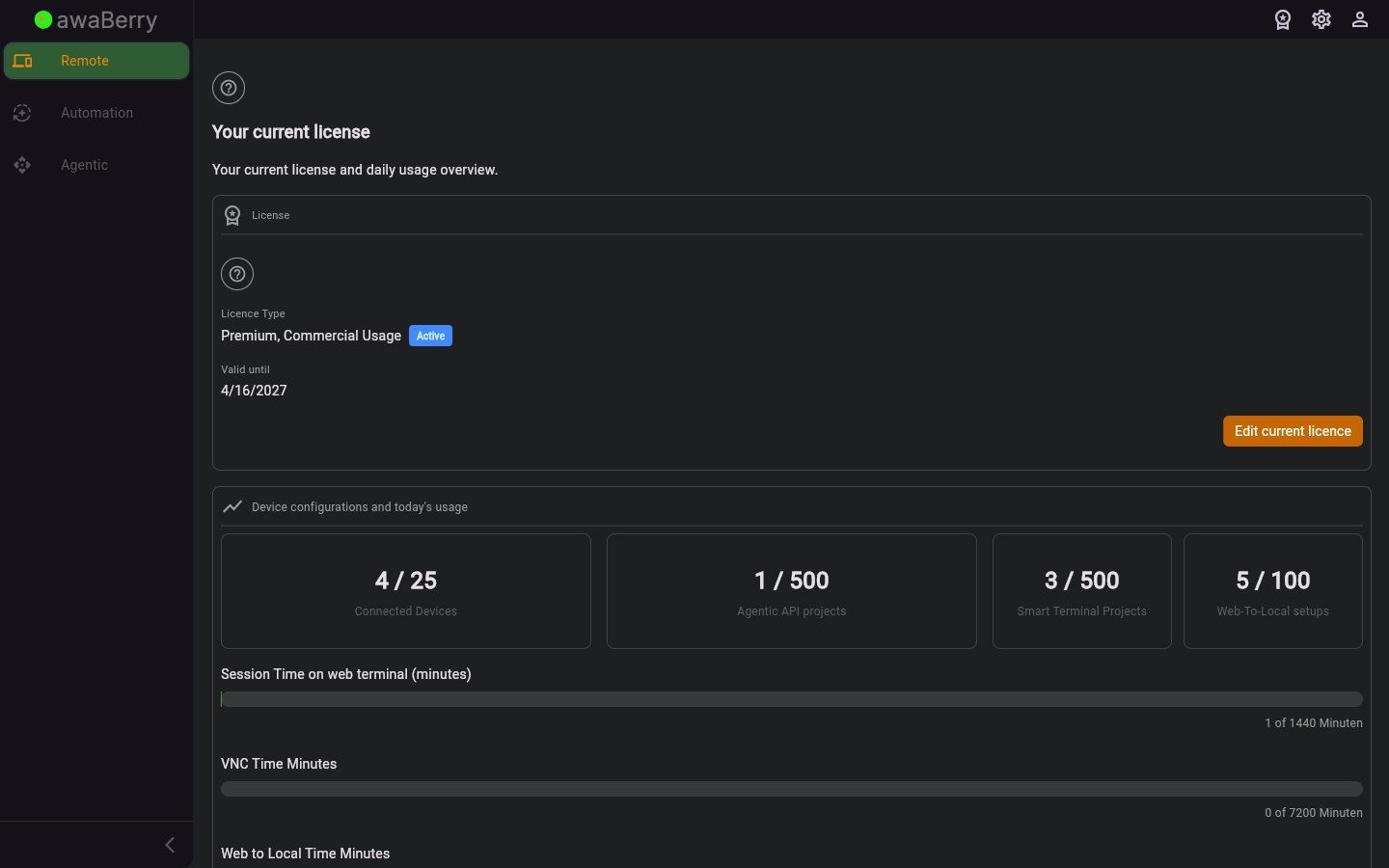
Screen on arrival
Page Functionalities
- Title "Your current licence": A large heading identifying the section.
- Description text: "Your current license and daily usage overview."
- Licence details (ManageCurrentLicence widget): Shows the licence name, category (Commercial / Private / Connect), subscription status badge (Trial Phase / Active / Expired), and validity expiry date. The Edit Current Licence button opens the licence management flow for non-connect licences.
- Daily Usage Statistics (DisplayDailyUsageStatistics widget): Bar charts and counters for: remote session time, intelligent terminal commands, file browser transfers, VNC time, and web-to-local interactions, compared against plan limits.
- User manual link: Links to the licence settings section of the user manual.
Scenario: Checking your licence and today's usage
- Navigate to
/user_showcurrentlicencefrom the user settings or sidebar. - The screen loads and shows your licence name, plan category, and status badge.
- Check the expiry date to know when your subscription renews.
- Scroll down to review the daily usage statistics bar charts.
- If any bar is near the limit, consider upgrading via Edit Current Licence.

