

User Manual
awaBerry | Request Research Licence
The Request Research Licence screen provides instructions and copyable email content for applying for a free awaBerry research licence for non-commercial academic use.
Request Research Licence
Summary
This screen explains how users can apply for a free awaBerry research licence intended for non-commercial academic or student purposes. It provides the support email address, the required email subject, instructions for qualifying applicants, and a pre-composed email body block — all with copy-to-clipboard buttons. The user's registered email address and account ID are displayed for inclusion in the request.
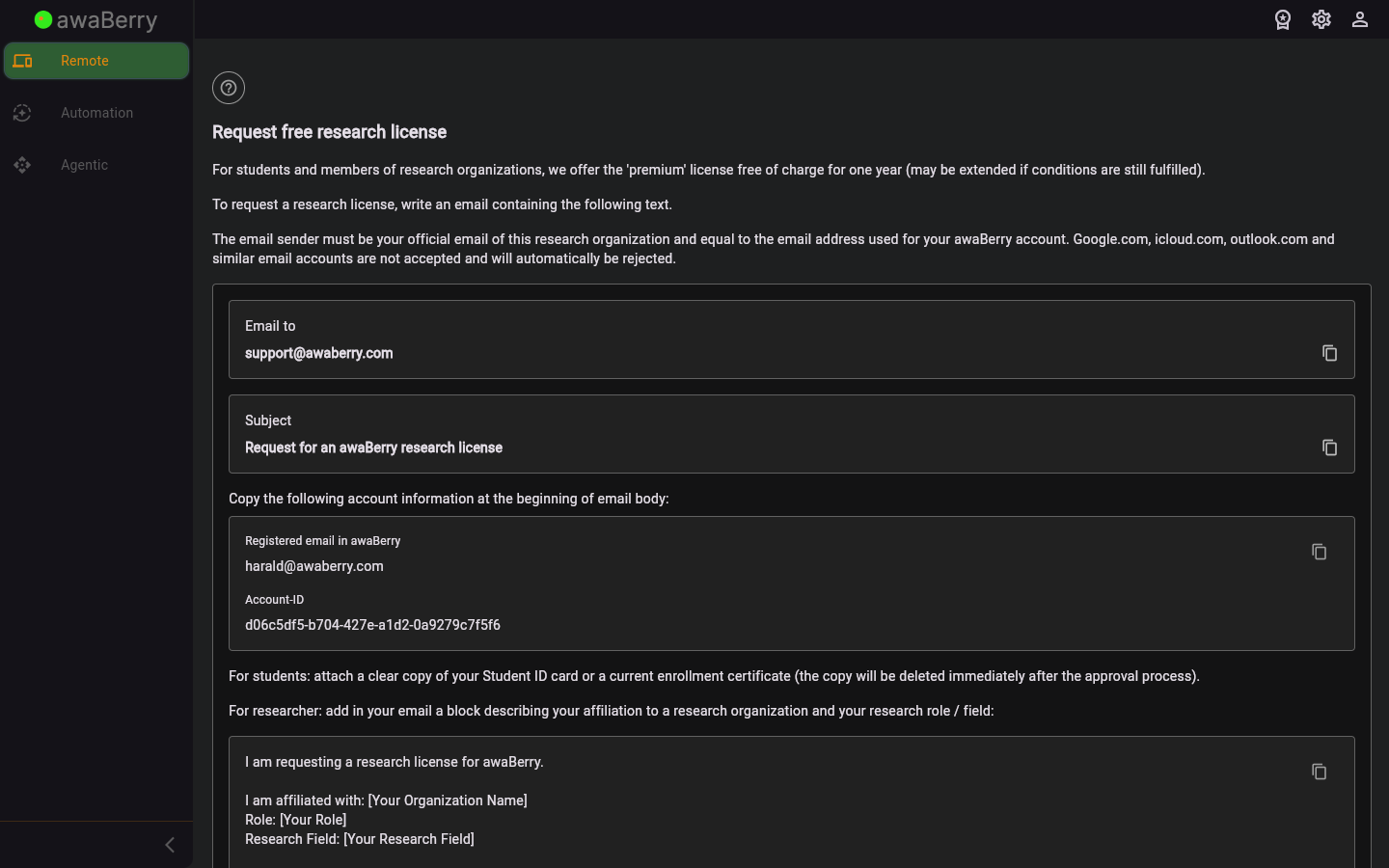
Screen on arrival
Page Functionalities
- Title and description text: Explains what the research licence is, who qualifies, and that the email must be sent from the same address registered in awaBerry.
- Email To box (TextWithCopyOption): Shows
support@awaberry.comwith a copy-to-clipboard button. - Subject box (TextWithCopyOption): Shows the required email subject "Request for Research Licence" with a copy button.
- Account Information box (copy-all button): Displays the user's registered awaBerry email address and account ID as selectable text, with an icon button (GestureDetector) to copy both values at once to the clipboard.
- Instructions for students and researchers: Two text blocks explaining what information students and researchers should include in the email body.
- Email body template block (SelectableText + copy button): A pre-written email body that the user can select or copy with the icon button. The snackbar confirms "Copied to clipboard" on success.
- User manual link: A link to the research licence section of the user manual.
Scenario: Sending a research licence request
- Navigate to
/user_requestresearchlicence. - Read the description to confirm you qualify for a research licence.
- Copy
support@awaberry.comusing the copy button and paste it into your email client as the recipient. - Copy the email subject using its copy button and paste it into the subject line.
- Copy your account information (email + account ID) using the copy-all button and paste it at the start of the email body.
- Copy the provided email body template and append it after the account information.
- Add any additional qualifying information required for students or researchers.
- Send the email from your registered awaBerry email address.

