

User Manual
awaBerry | Delete Account
The Delete Account screen provides a GDPR-compliant confirmation flow that permanently deletes the user's account and all associated data after an explicit text confirmation.
Delete Account
Summary
This screen guides the user through a deliberate, irreversible account deletion process. To prevent accidental deletion a text confirmation is required: the user must type the exact phrase delete account before the delete button becomes fully active. On confirmation the app calls the backend deletion RPC, which removes all user data from the database. A success snackbar is shown and the user is immediately logged out and redirected to the login screen.
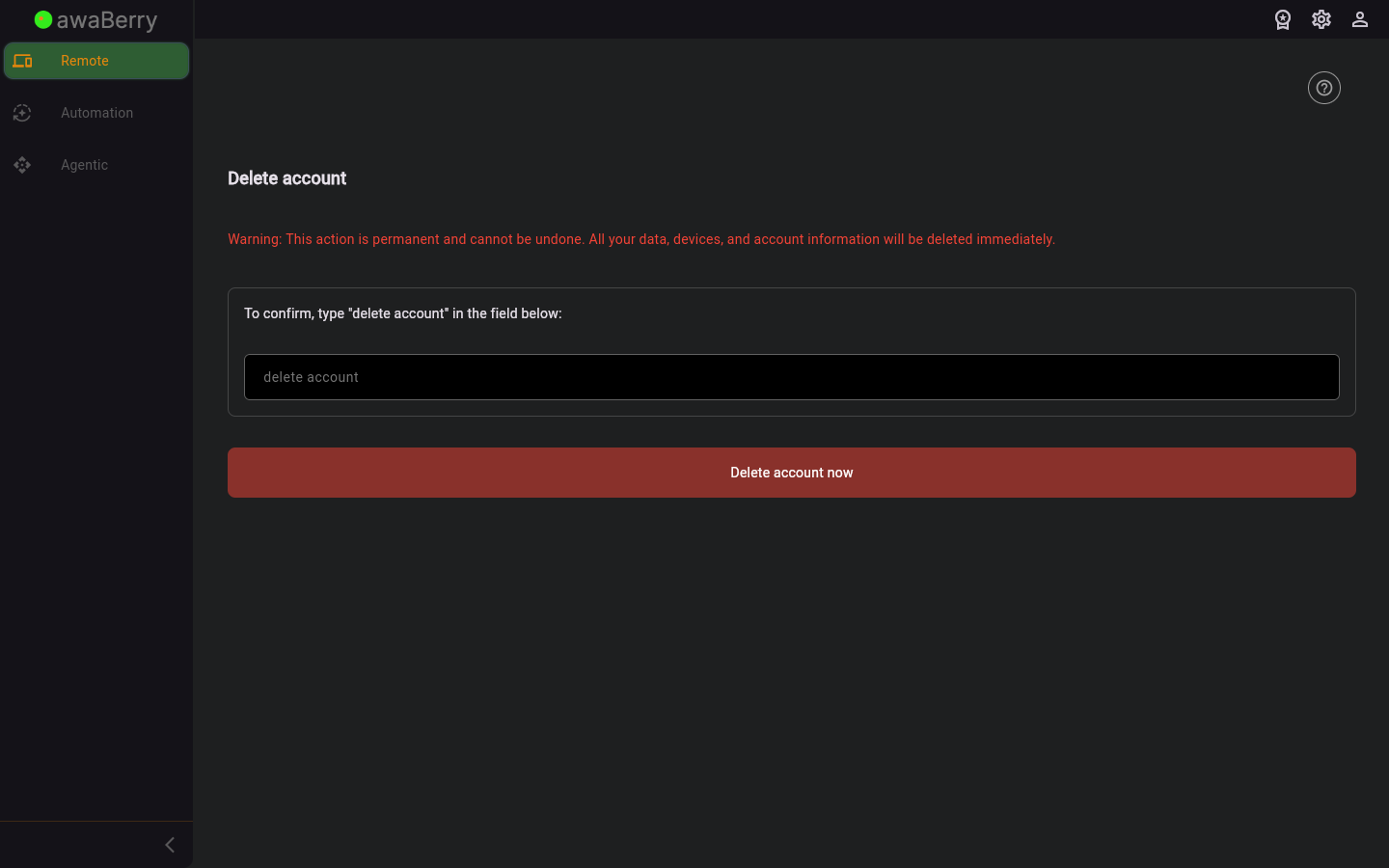
Screen on arrival
Page Functionalities
- Warning message (red text): States that the action is permanent and cannot be undone — all data, devices, and account information will be deleted immediately.
- Confirmation text field (TextField): The user must type delete account exactly. The field shows a real-time validation error if the text does not match.
- Delete account now button (GestureDetector/Container): Becomes fully opaque red when the confirmation text is valid; partially transparent red otherwise. Tapping it triggers the deletion only if the confirmation matches.
- Error message box: Shown in a red container if validation fails or if an error occurs during deletion.
- Loading overlay: A semi-transparent black overlay with a circular progress indicator is shown over the screen while the deletion is in progress.
- Success snackbar: A green snackbar appears confirming "Your account and all associated data have been deleted."
- Automatic logout redirect: After a short delay following successful deletion the user is navigated to
/logout. - User manual link: A link to the delete account section of the user manual.
Scenario: Permanently deleting an account
- Navigate to
/user_deleteaccountfrom the Danger Zone section in User Settings. - Read the red warning message carefully.
- Type delete account (lowercase, exact match) in the confirmation text field.
- The delete button becomes fully red once the text matches.
- Click Delete account now.
- A loading overlay is shown while all data is being deleted from the server.
- A green snackbar confirms the deletion.
- After a 1-second delay the user is automatically logged out and redirected to the login screen.
Scenario: Typing an incorrect confirmation
- Type any text that is not exactly delete account.
- A validation error "Text must match exactly." is shown below the field.
- The delete button remains partially transparent and will not proceed.
- Correct the text and the error clears automatically.

