

User Manual
awaBerry | Upgrade Licence
The Upgrade Licence screen is shown when one or more licence feature limits have been exceeded, prompting the user to upgrade their plan.
Upgrade Licence
Summary
This screen is displayed when the application detects that the user has exceeded one or more of their current licence's feature limits (e.g. daily remote session time, terminal commands, file transfers). It shows a title explaining that an upgrade is needed, displays today's usage statistics so the user can understand which limits were hit, and shows the current licence information with the upgrade option. The user can initiate an upgrade directly from this screen.
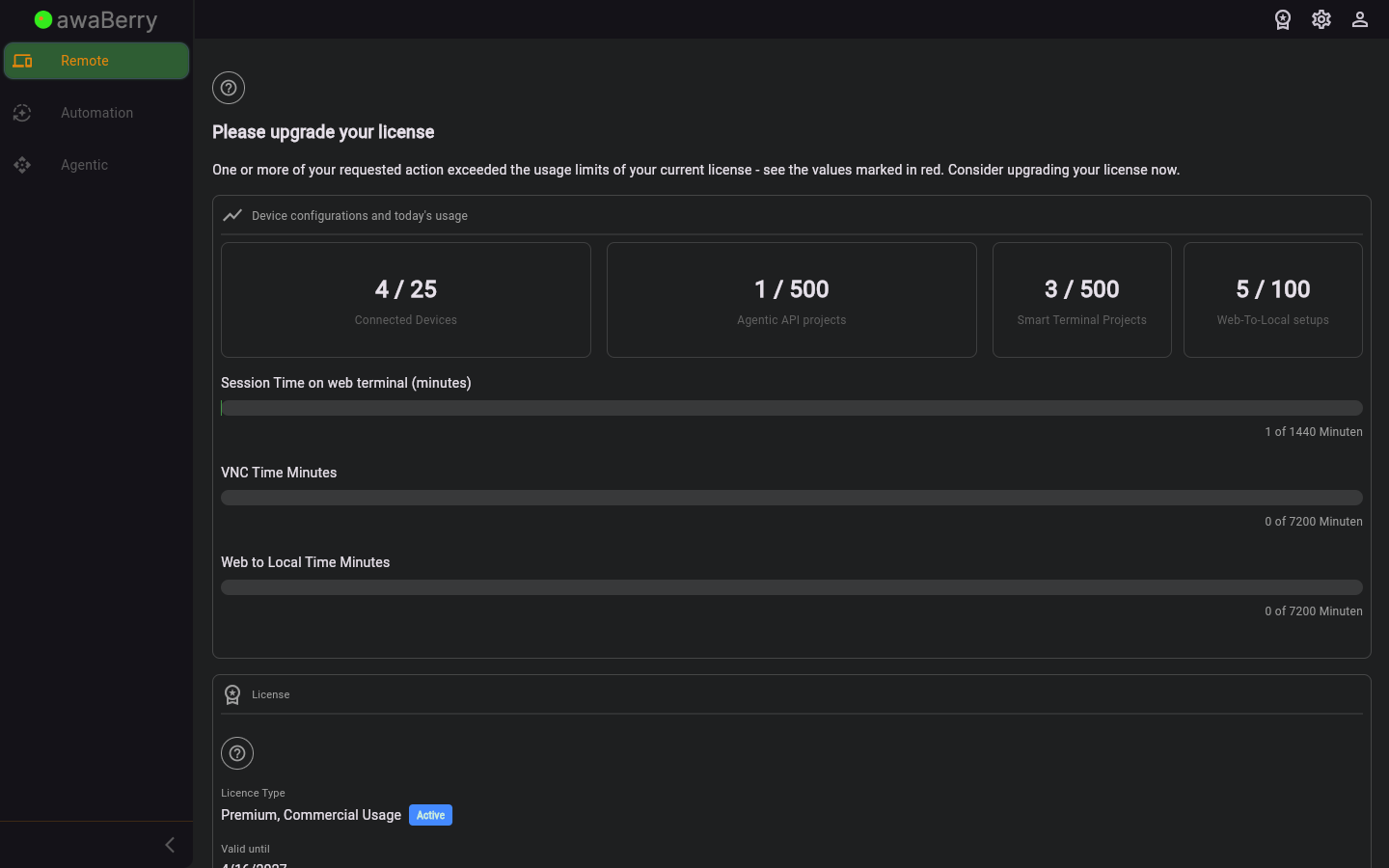
Screen on arrival
Page Functionalities
- Title "Please Upgrade Your Licence": A large heading explaining that upgrade is required.
- Exceeded limits explanation text: A description stating that one or more licence feature limits have been exceeded.
- Daily Usage Statistics (DisplayDailyUsageStatistics widget): Bar charts showing the usage for: remote session time, terminal commands, file browser transfers, VNC time, and web-to-local interactions, compared to current plan limits.
- Current Licence details (ManageCurrentLicence widget): Shows the licence name, category, subscription status badge, and validity date. Includes an Edit Current Licence button to initiate the upgrade flow.
- User manual link: A link to the upgrade licence section of the user manual.
Scenario: Upgrading after hitting a feature limit
- The user attempts to use a feature that has reached its daily limit (e.g. SSH session time).
- The application navigates to
/user_asktoupgradelicence. - The user reviews the usage statistics to understand which limit was hit.
- The user clicks Edit Current Licence in the licence section.
- The licence edit flow opens, showing available plans with higher limits.
- The user selects an upgraded plan and completes the checkout process.
- After successful payment the new licence is activated and the user can continue using the feature.

