

User Manual
awaBerry | Licence Not Active
The Licence Not Active screen is shown when the user's licence has expired or is inactive, providing an inline licence renewal and plan selection flow.
Licence Not Active
Summary
This screen is displayed when the application detects that the user's licence is no longer active — either because it has expired, been cancelled, or was never set up. Instead of blocking access with a plain error, awaBerry presents the full licence selection and activation flow inline so the user can renew or purchase a plan without leaving the app. The screen renders the SetupUserLicence component in edit mode.
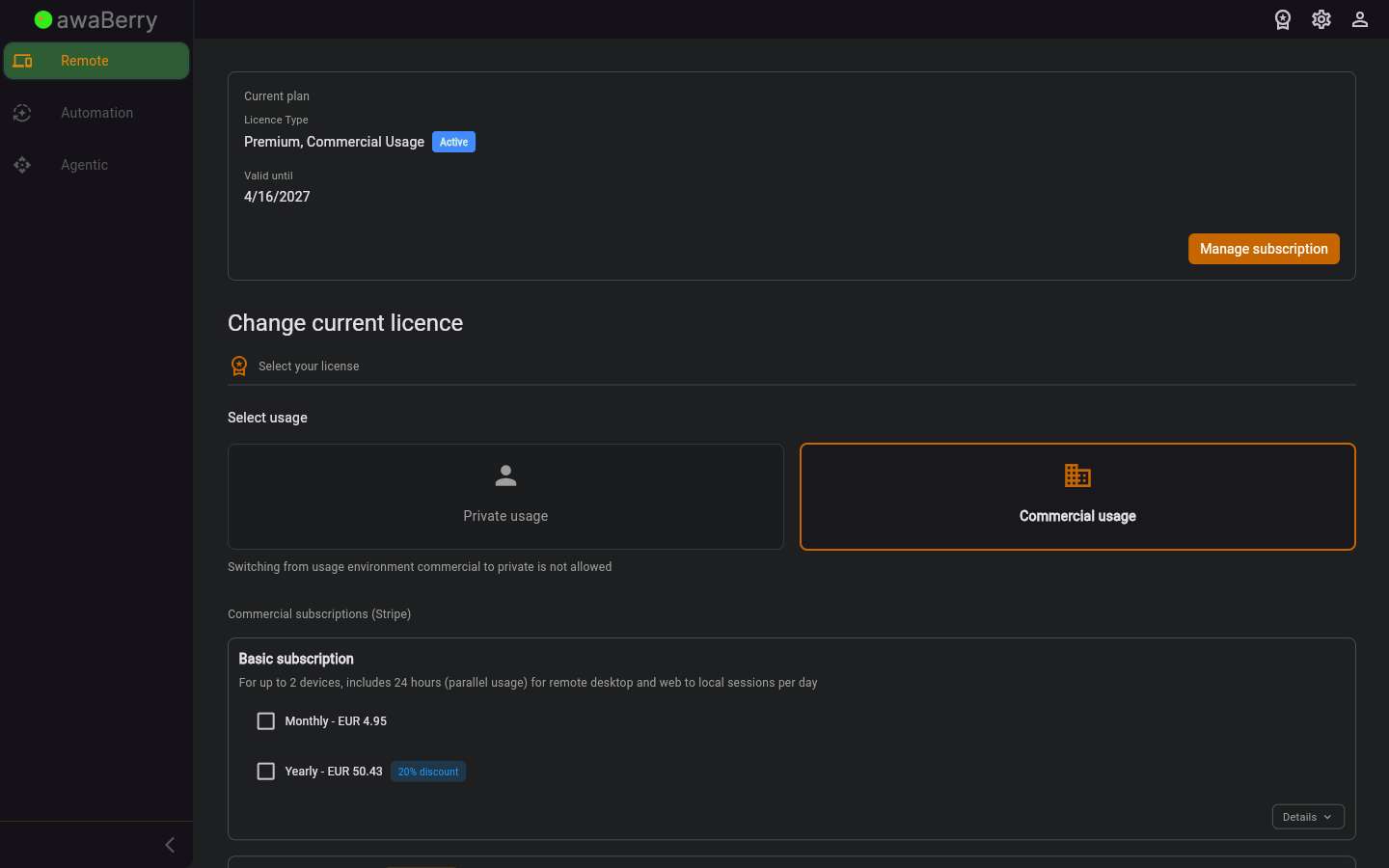
Screen on arrival
- Inline licence setup flow: The full SetupUserLicence widget is rendered in edit mode, allowing the user to choose a new plan and complete the checkout without navigating away.
- Plan selection: The user can browse available licence plans (free, connect, private, commercial) and choose a billing period (monthly / yearly).
- Checkout / activation: Depending on the selected plan the user can activate a free licence immediately or be redirected to the Stripe payment portal to complete a subscription checkout.
- Subscription management: For users who already have a Stripe subscription, a "Manage Subscription" button opens the Stripe customer portal.
Scenario: Renewing an expired licence
- The application detects that the licence is inactive and navigates to
/licencenotactive. - The inline licence setup is shown, displaying available plans.
- The user selects a plan and billing period.
- If a paid plan is selected, the user is redirected to the Stripe checkout page.
- After a successful payment the app returns to the
/checkoutsuccessroute and activates the licence automatically.
Scenario: Activating a free plan
- The screen is shown with the available plans.
- The user selects the free plan.
- The app calls the free-licence creation endpoint and activates the licence immediately.
- The user is redirected to the devices overview.

