

User Manual
awaBerry | Device Configuration
Device detail and configuration screen showing all available actions for the selected device.
Device Configuration
Summary
After selecting a device from the Devices Overview, this screen is the central hub for all device interactions. It loads the device details view with a set of action tabs covering terminal access, file browsing, remote desktop, web-to-local tunnels, security, system monitoring, and smart automation.
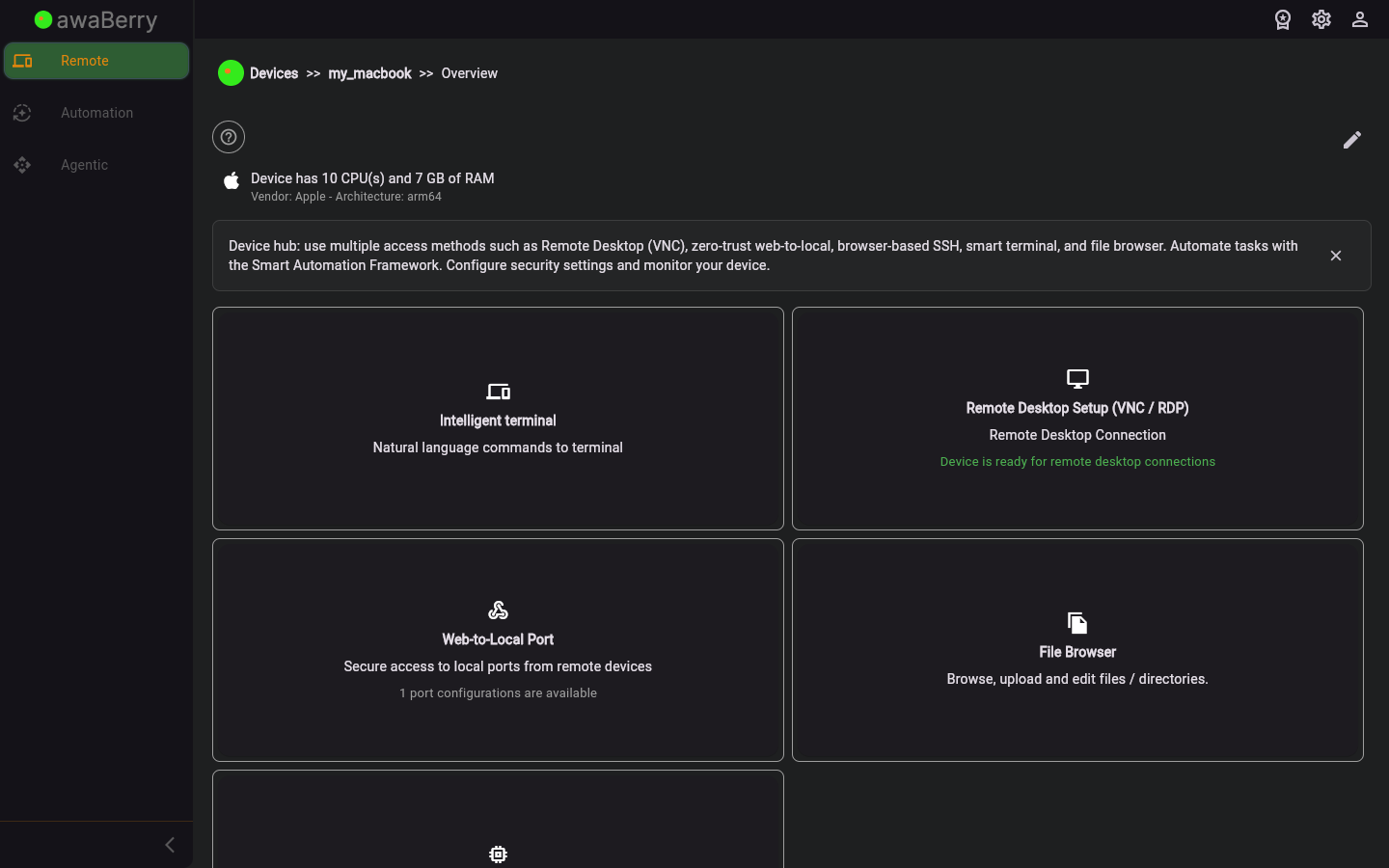
Screen on arrival
Page Functionalities
- Device info panel — Displays the device name, type, and connection status.
- Terminal tab — Navigates to
/devices_connectto start an SSH session. - File Browser tab — Navigates to
/devices_filebrowserto browse remote files. - Remote Desktop tab — Navigates to
/devices_rdpfor VNC/RDP access. - Web-to-Local tab — Navigates to
/devices_web_to_localto set up a tunnel. - Security tab — Navigates to
/devices_securityfor firewall and security settings. - System Monitor tab — Navigates to
/devices_systemmonitorfor live metrics. - Smart Automation tab — Navigates to
/automation_deviceto manage automation projects on this device.
Scenarios
Start an SSH terminal session
- Select a device from the Devices Overview to arrive at
/devices_configure. - Click the Terminal tab or action button.
- The app navigates to
/devices_connectand begins establishing the SSH session.
Open the file browser
- With a device selected at
/devices_configure, click the File Browser tab. - The app navigates to
/devices_filebrowserwhere you can browse and manage remote files.

