

User Manual
awaBerry | New Device — Downloaded Installer
Steps shown after the user downloads a pre-built installer image for a new device.
New Device — Downloaded Installer
Summary
After downloading the pre-built awaBerry OS image or installer, this screen walks you through flashing or installing it on the target hardware and completing the initial device registration. The wizard sets the session step to steps_newdevice within the connect shell.
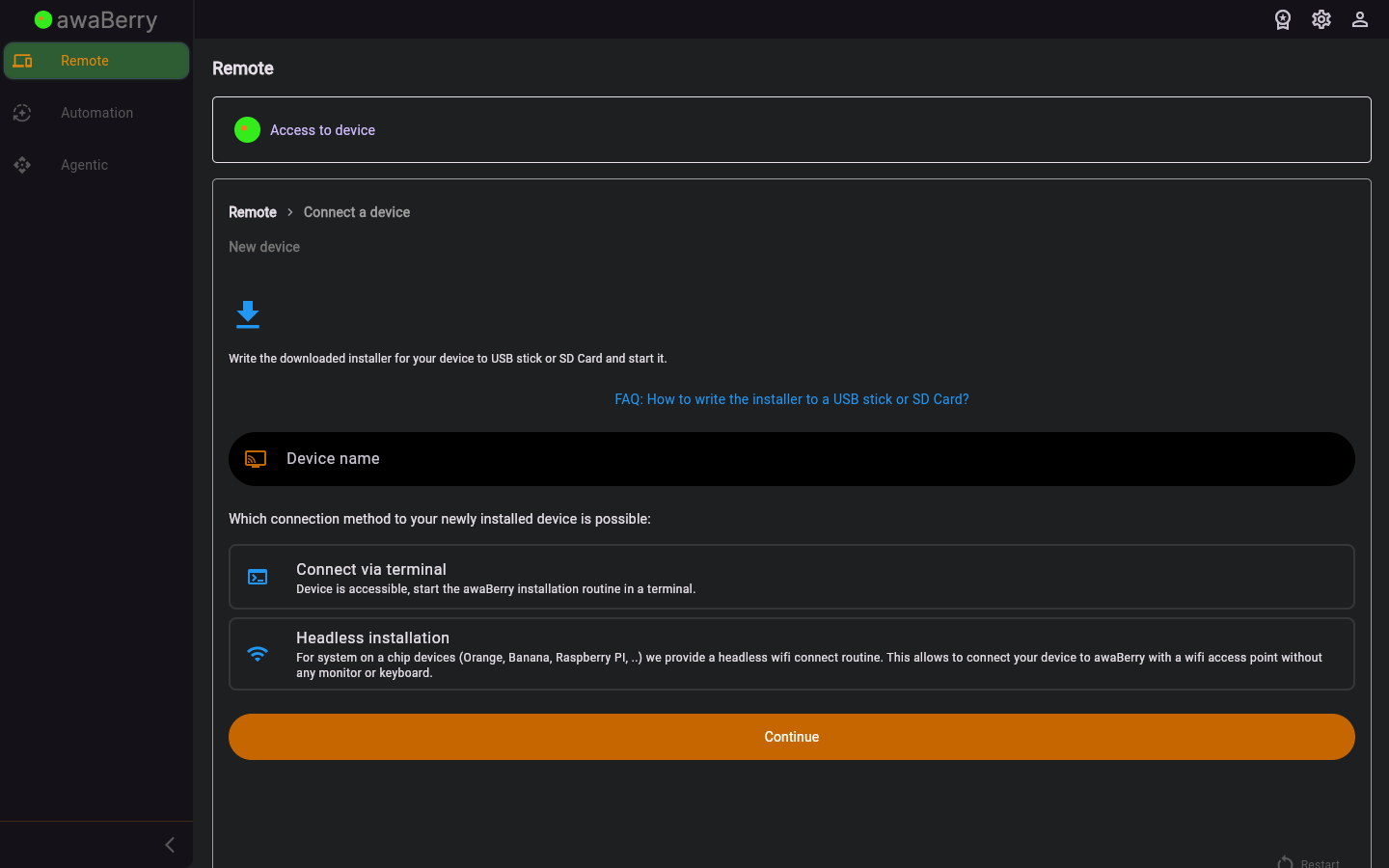
Screen on arrival
Page Functionalities
- Download link / instructions — Provides the URL or command to download the pre-built installer image.
- Flashing instructions — Step-by-step guide to write the image to an SD card or USB drive.
- First boot instructions — Describes what happens on first boot and how the device auto-registers with your account.
- Continue button — Advances the wizard once the device is detected as online.
- Restart button — Returns to the beginning of the connect wizard.
Scenarios
Flash and register a new device via downloaded image
- Arrive at
/steps_newdevice_downloadedafter selecting the downloaded installer path. - Download the provided image file.
- Flash the image to an SD card or USB using the recommended tool (e.g., Balena Etcher).
- Insert the media into the target device and power it on.
- The device auto-registers on first boot; return to the wizard and click Continue.
- The device appears in your Devices Overview.

