

User Manual
awaBerry | Docker Deployment
Step-by-step guide for deploying the awaBerry agent as a Docker container.
Docker Deployment
Summary
This wizard guides you through running the awaBerry agent inside a Docker container. A ready-to-use docker run command is generated with your account token pre-filled. Supported base images include Ubuntu, Debian, and Linux Mint variants. Once the container starts and registers, the device appears in your Devices Overview.
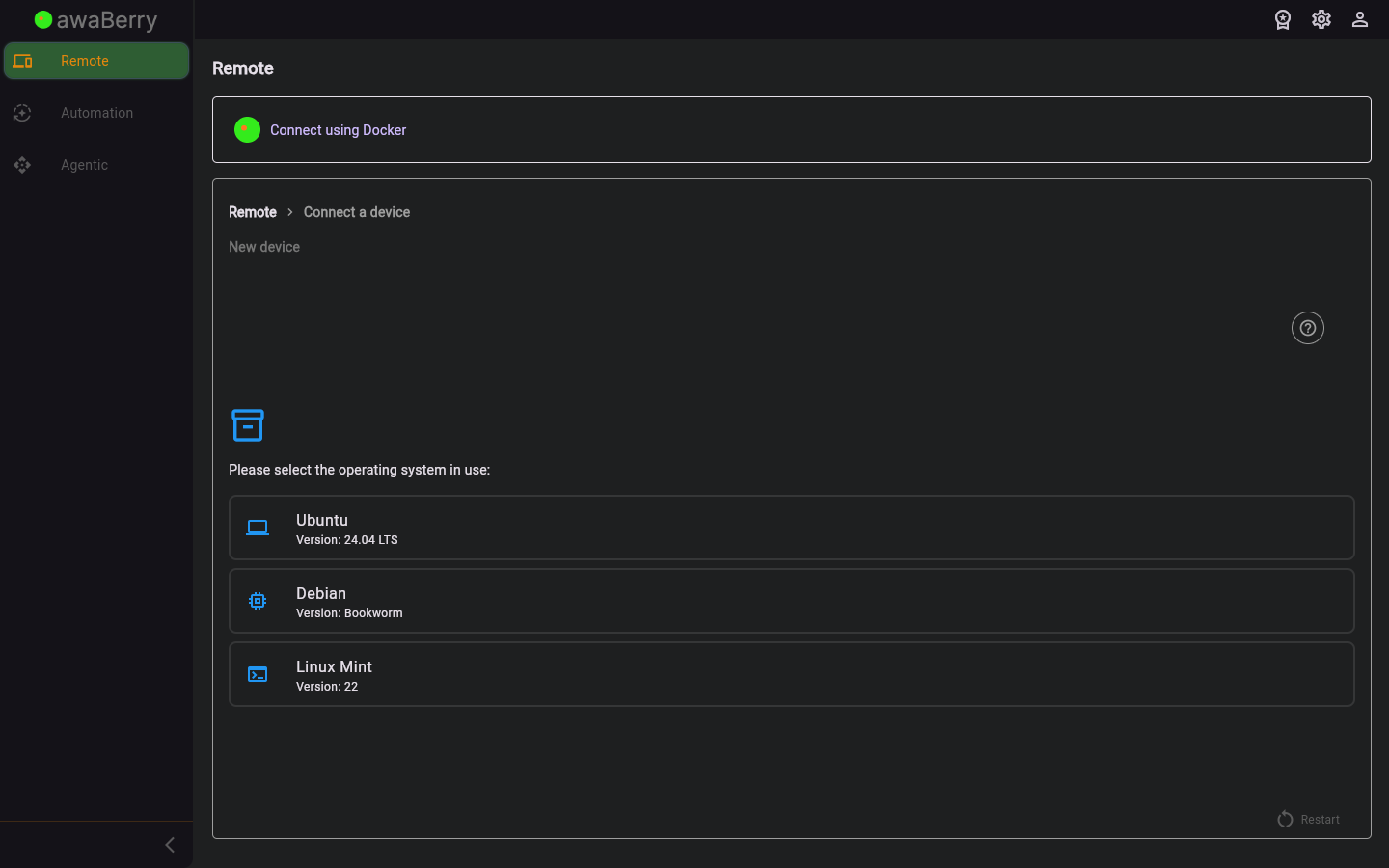
Screen on arrival
Page Functionalities
- Distribution selector — Dropdown or tab to choose the Docker base image (Ubuntu, Debian, Mint).
- Docker run command — Pre-built
docker runcommand with your account token and recommended flags; includes a copy button. - Device name field — Text input to assign a friendly name to the container-based device.
- Continue button — Advances once the container is detected as registered.
- Restart button — Returns to the beginning of the connect wizard.
Scenarios
Deploy the awaBerry agent in Docker
- Navigate to
/connect_steps_dockervia Connect Overview → Docker deployment. - Select your preferred Docker image distribution.
- Copy the generated
docker runcommand. - Paste and run the command on your Docker host.
- Return to the wizard and click Continue.
- The container-based device appears in your Devices Overview.

