

User Manual
awaBerry | Login
Sign in to your awaBerry account using email and password, Apple, or Google.
Login
Summary
The Login screen is the main entry point for returning users. It allows you to sign in with your email and password, or through Apple or Google social login. If a previous session is remembered, a quick re-login button is shown. After successful authentication the app navigates to your device list.
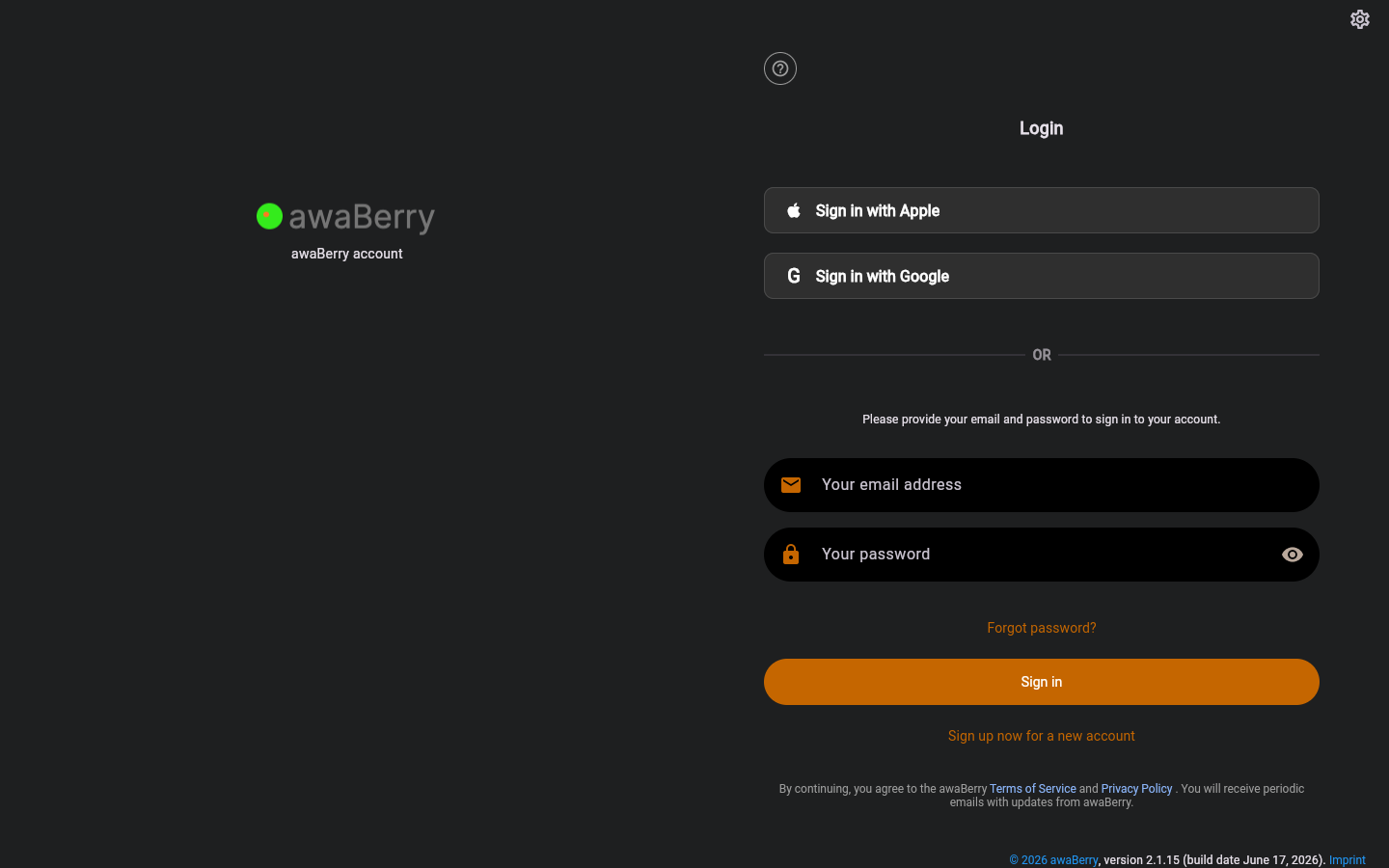
Screen on arrival
Page Functionalities
- Quick Re-Login button — If credentials were remembered from a previous session, a single button labelled "Relogin with <email>" lets you sign in without re-entering your credentials.
- "Forget credentials / Login with another account" link — Clears the remembered credentials and shows the full login form.
- "Sign in with Apple" button — Redirects to Apple OAuth flow via
/signinwithapple. - "Sign in with Google" button — Redirects to Google OAuth flow via
/signinwithgoogle. - Email field (TextFormField, hint: "Your email address") — Enter your registered email address.
- Password field (PasswordFormField, hint: "Your password") — Enter your password. An eye icon toggles visibility.
- ALTCHA human-verification widget — Shown after two or more failed login attempts to prevent brute force.
- "Forgot password?" link — Navigates to
/initforgotpassword. - "Sign in" button (ElevatedButton) — Submits the form and attempts authentication.
- "Sign up now for a new account" link — Navigates to
/register. - Terms of Service notice — Displayed below the form as an informational text span.
- Error banner — Shown when login fails; displays the error message from the authentication service.
Scenarios
Sign in with email and password
- Open the app; the Login page is displayed.
- Enter your email address in the email field.
- Enter your password in the password field.
- Click Sign in (or press Enter).
- A loading indicator appears while the server authenticates you.
- On success, the app navigates to the devices overview (
/). - On failure, an error banner appears with the reason.
Quick re-login
- If credentials were remembered, the quick re-login view is shown with a single button.
- Click Relogin with <email> to sign in immediately.
- To use a different account, click Forget credentials / Login with another account.
Sign in with Apple or Google
- Click Sign in with Apple or Sign in with Google.
- The browser redirects to the OAuth provider.
- After authorising, the provider redirects back; the app establishes a session automatically.
Forgot password
- Click Forgot password?.
- You are taken to
/initforgotpasswordto request a reset email.
ALTCHA captcha (after repeated failures)
- After two failed submissions, the ALTCHA widget appears.
- Complete the human-verification challenge.
- Re-enter credentials and click Sign in.

