

Manage files on any connected remote device directly from your browser — no FTP client, no SCP command-line, no physical access required. Full file lifecycle management with a built-in code editor, uploads and downloads.
Products: awaBerry Anywhere — Remote
Key Features
Everything you need to manage remote files without installing additional tools or leaving your browser.
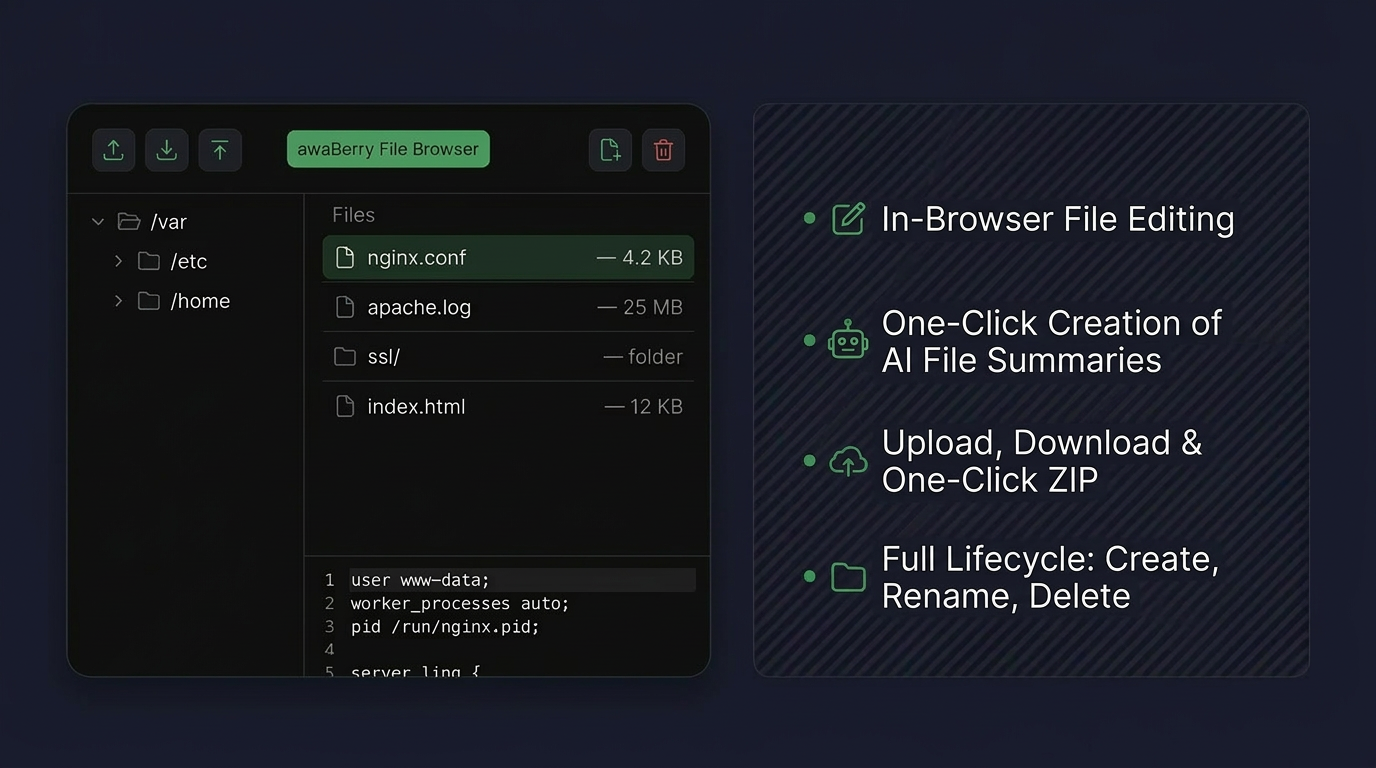
📝 In-Browser File Editing
Click any text or configuration file to open it in the built-in editor and make changes immediately — no download/edit/re-upload cycle. One click calls for AI-based summaries of files.
☁️ Uploads, Downloads & Bulk Export
Upload files from your local machine to any remote directory. Download single files or entire directories as a .zip with one click. For very large transfers, the system proactively recommends switching to the high-speed Web-to-Local tunnel.
🔑 Secure Admin Access Toggle
Safely manage restricted system directories by toggling administrator privileges on or off with a single button — elevated access on demand, dropped when done.
📁 Full Lifecycle Control
Create new files and folders from scratch. Rename, move, and reorganize existing assets. Permanently delete what you no longer need — full CRUD operations from the browser.
Key Benefits
No Extra Tools Required
Instant In-Browser Editing
Edit configs and scripts directly — no extra tools, no local editor, no round-trip download/upload cycle needed.
Effortless Transfers
File upload and download with one-click zip downloads for entire directories. Smart recommendations guide you to Web-to-Local for heavy-duty transfers.
Full Lifecycle Management
Create, rename, move, delete — all from the browser. Complete file management without needing SSH or FTP access.
Smart Recommendations
Guided to Web-to-Local for heavy-duty high-speed transfers automatically. The system knows when to recommend a faster path.
Plans
Start for Free. Scale as You Grow.
Business
Automate operations, manage fleets, and enable secure remote work for your entire team.
Try for Free
Private
Access your home devices, automate personal tasks, and share access with family — for free.
Freemium Plan Available
Research
Access lab hardware, automate data collection, and collaborate across institutions.
Request Free Usage

