

Remote Access
Access Any Device, Anywhere — Securely and at Full Speed. No VPNs. No Open Ports.
Products: awaBerry Anywhere — Remote
Every Access Method. One Platform.
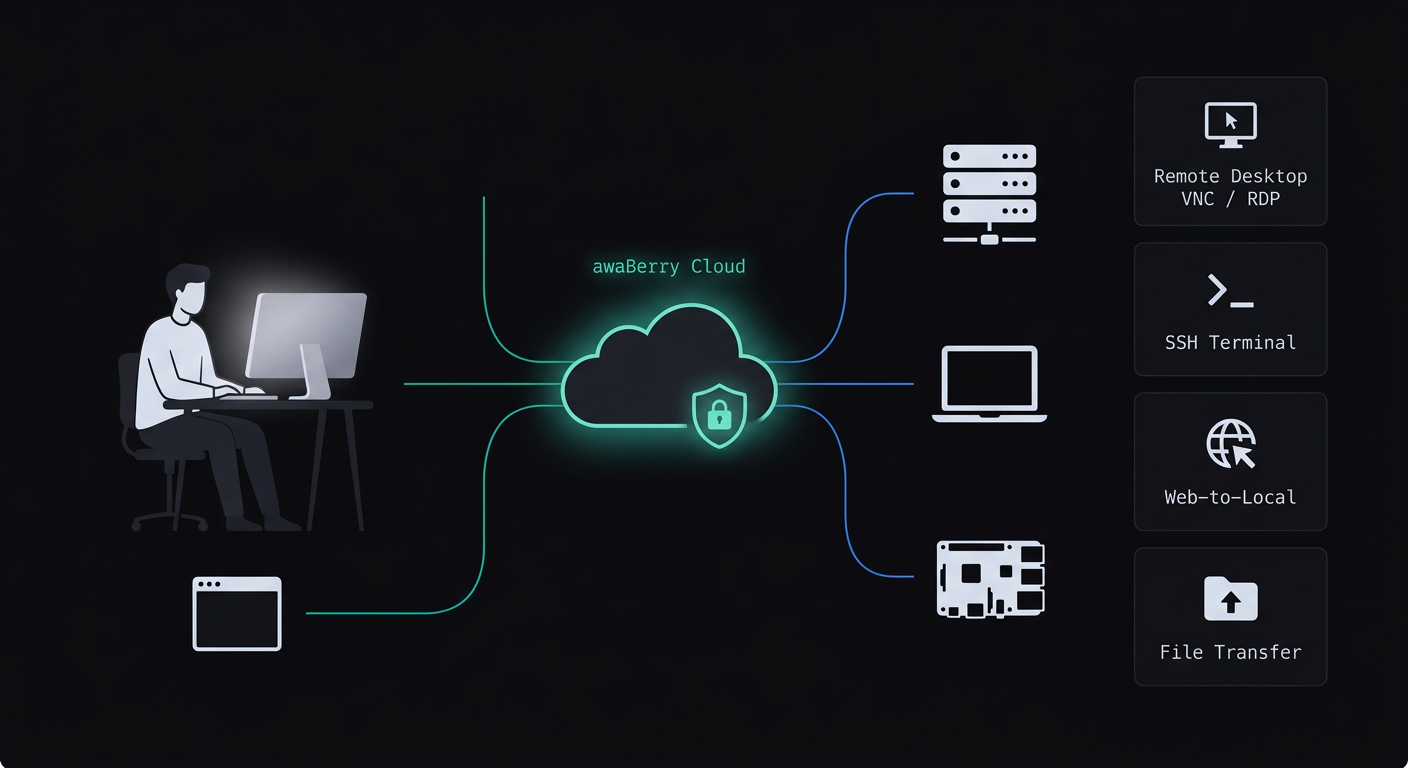
awaBerry Anywhere delivers secure, zero-trust remote access to your entire device ecosystem. Whether you need a graphical desktop, a command-line terminal, or access to an internal web service, you can connect to any laptop, server, or SoC device — from anywhere — using your web browser or a dedicated native client optimised for performance. All connections are protected by zero-trust security — no exposed ports, no tunneling workarounds required.
Browser-Based Access
The web portal is the configuration and activation hub — and the direct access point for SSH sessions, Web-to-Local tunnels, in-browser VNC, and drag-and-drop file transfers.
Native Client Performance
For Remote Desktop (VNC & RDP) and sustained SSH workflows, native clients such as Apple Screen Sharing, Microsoft Remote Desktop, iTerm2, and RealVNC Viewer deliver lower latency and a richer experience.
Remote Features
Remote Connections for Every Use Case
Remote Desktop (VNC & RDP)
Pixel-perfect graphical control over Apple, Linux, and Windows machines — from anywhere, no VPN, no open ports.
Zero Trust Web-to-Local
Securely connect to any application running locally on your remote device — databases, RDP, SSH servers, custom app servers.
Smart Terminal
An AI-assisted command environment that understands your intent, proposes commands, and executes them securely.
SSH Terminal
A secure, fully functional SSH terminal built directly into your browser — no PuTTY, no iTerm, no VPN configuration.
File Browser
Manage files on any connected remote device directly from your browser — no FTP client, no SCP, no physical access.
Device Security
Enterprise-grade security active by default. The Device Security Settings panel gives you full visibility and control.
Device Monitoring
Real-time, at-a-glance visibility into every connected device's health and performance — no log-digging required.
Use Cases
See It in Action
Plans
Start for Free. Scale as You Grow.
Business
Automate operations, manage fleets, and enable secure remote work for your entire team.
Try for Free
Private
Access your home devices, automate personal tasks, and share access with family — for free.
Freemium Plan Available
Research
Access lab hardware, automate data collection, and collaborate across institutions.
Request Free Usage

